For Business Enquiry: +91 97892 39293
WEBBITECH

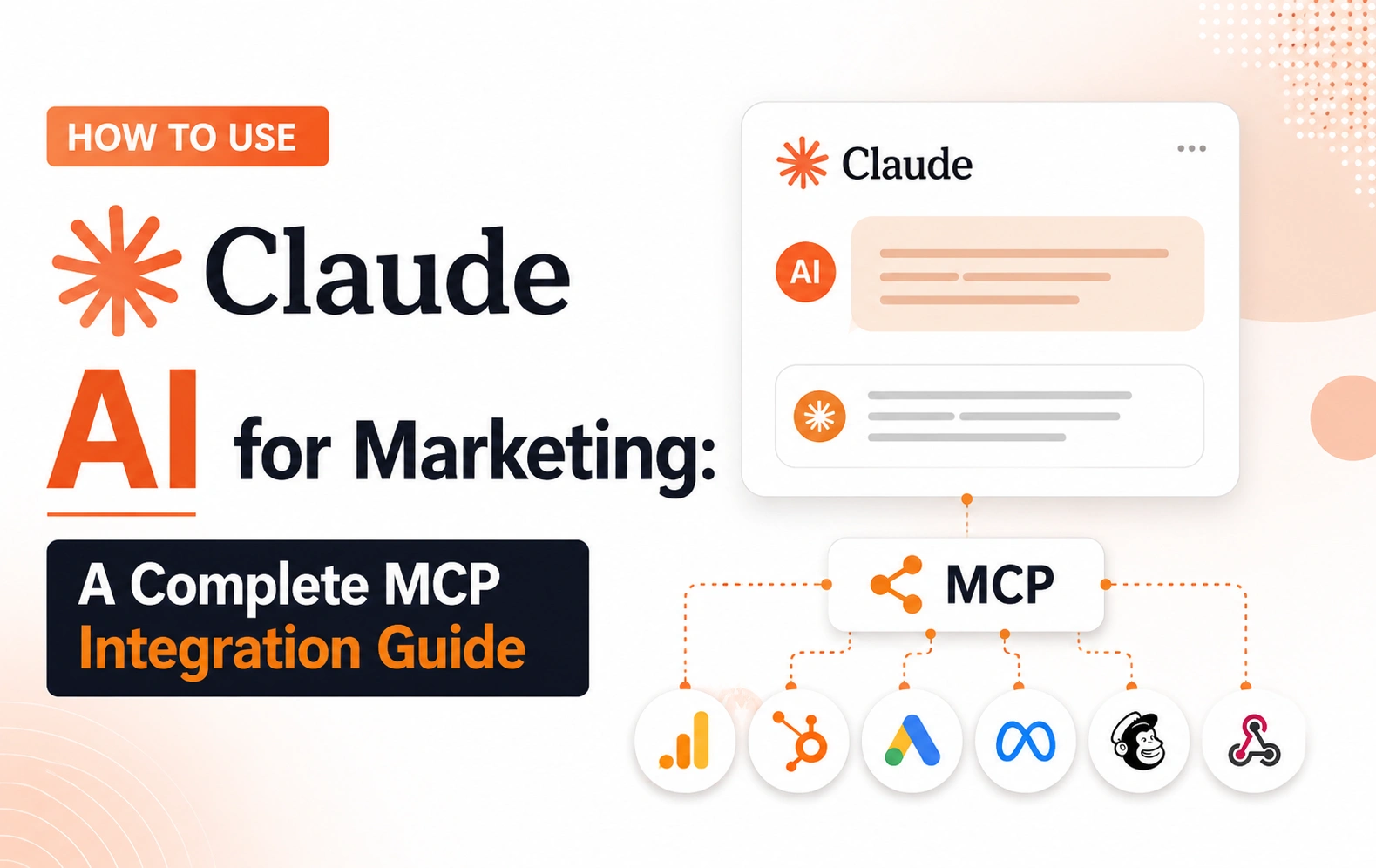
How to Use Claude AI for Marketing: A Complete MCP Integration Guide

How to Use Claude AI for Marketing: A Complete MCP Integration Guide

How to Use Claude AI for Marketing: A Complete MCP Integration Guide

For most of 2025, using Claude for marketing meant copying data in and pasting results out—export a CSV from your CRM, paste it into a chat, wait for Claude to analyze it, and copy the answer back. That workflow is largely gone. Thanks to the Model Context Protocol (MCP), Claude can now connect directly to the tools marketing teams already run on: CRMs, ad platforms, SEO tools, and analytics dashboards—and work with live data instead of static exports.

This guide covers what MCP actually is, how to connect it inside Claude, which marketing-specific connectors exist right now, and how to think about security before you flip anything on.

What Is MCP, in Plain Terms

MCP (Model Context Protocol) is an open standard, created by Anthropic, that gives AI applications like Claude a consistent way to connect to external tools and data sources. Instead of every integration being a custom one-off build, MCP gives developers a shared protocol—meaning a growing number of platforms can plug into Claude (and other AI tools) through the same mechanism.

For marketers, the practical upshot is simple: once a connector is set up, Claude can pull live information from a connected platform—deal stages from your CRM, campaign performance from your ad account, and ranking data from your SEO tool—inside the same conversation where you're asking it to analyze, write, or plan.

Local vs. Remote MCP: Know the Difference

There are two flavors of MCP, and they behave differently:

  • Remote MCP servers are hosted on the internet. When you connect one, Claude reaches it from Anthropic's cloud infrastructure rather than your own device—and this holds true across claude.ai, Claude Desktop, Cowork, and the mobile apps. This is the version most marketing connectors (HubSpot, Meta Ads, SEO platforms) use.
  • Local MCP servers run on your own machine and are configured through Claude Desktop's configuration file. These are useful for connecting to local files or internal tools, but they're a separate mechanism from remote connectors and aren't available inside Cowork or the claude.ai web app.

If your marketing stack is entirely cloud-based (which most is), you'll be working with remote connectors almost exclusively.

Setting Up MCP Connectors on Claude.ai

The general setup flow looks like this:

  1. In Claude.ai, open Settings, then go to the Connectors section (individual Pro/Max users and Team/Enterprise Owners access this slightly differently—Owners typically add a connector for the whole org first, after which members connect their own accounts).
  2. Browse the connector directory for a pre-built option (HubSpot, Meta Ads, Google Workspace, and others appear here), or add a custom connector by pasting in a remote MCP server URL.
  3. Click Connect, and you'll be walked through an OAuth flow to sign into the third-party service. Claude never sees your actual password—it receives scoped permissions instead.
  4. Once connected, you can turn individual connectors on or off per conversation using the connectors option in the chat composer, rather than having every connector active in every chat.

A few practical notes worth knowing before you set anything up:

  • Plan limits matter. Custom connectors are available even on the free tier, but free accounts are limited to one custom connector at a time. Pro and Max plans remove that cap. On Team and Enterprise plans, an organization Owner has to add the connector before members can use it.
  • Firewalls block connections. Because remote MCP servers are reached from Anthropic's infrastructure, a server sitting behind a corporate VPN or private network won't connect — even if it's reachable from your own laptop. You'd need to allowlist Anthropic's IP ranges.
  • You can revoke access anytime. Disconnecting a connector in Claude's settings (or in the third-party service's own security settings) immediately cuts off access.

Marketing Connectors Worth Knowing

MCP adoption moved fast across the marketing tech stack in the first half of 2026. Here's where things stand with a few of the platforms marketing teams ask about most.

CRM: HubSpot

HubSpot's official connector uses OAuth authentication through Claude's connector directory. Once connected, Claude can read contact and deal records, generate insights from engagement history, and create or update contacts, deals, and tasks. On the HubSpot side, an admin has to enable the connector under the app's integration settings before individual users can turn it on. Teams that need deeper access—custom objects or workflow automation—can also work with HubSpot's developer-facing MCP server for more programmatic use cases.

Paid Social: Meta Ads

Meta shipped an official MCP server for Facebook and Instagram ad accounts in the spring of 2026, exposing close to thirty tools spanning performance reporting, campaign management, catalog management, and account diagnostics. A few details matter operationally: campaigns and ad sets that Claude creates are placed in a paused state by default, so nothing goes live without someone manually activating it—a deliberate guardrail against accidental spend. The connector also supports managing multiple ad accounts under one business portfolio during setup.

SEO Tools: Semrush and Similar Platforms

Several SEO platforms now offer connectors that expose keyword research, backlink data, and competitive analysis directly inside Claude conversations, cutting out the export-and-upload step entirely. Some of these are official, OAuth-based connectors listed in Claude's directory; others are community-built servers that require you to supply your own API key. Worth checking both before assuming there's no option for your specific tool.

What This Actually Unlocks for Marketing Work

Once a few of these are connected, the workflows change shape. Instead of "pull a report, then ask Claude to summarize it," you get:

  • Live performance reporting — ask Claude to pull last week's ad performance and draft the recap narrative in one step, rather than exporting data first.
  • Cross-platform analysis — with more than one connector active, you can ask Claude to compare paid social performance against organic search visibility in the same conversation.
  • CRM-informed content — pull recent deal or engagement data from HubSpot to inform which case studies or content angles are likely to resonate with a given segment.
  • Faster SEO research — pull live keyword and ranking data directly into a content brief instead of toggling between five browser tabs.

Security Considerations Before You Connect Everything

Connecting Claude to a marketing platform means granting it the ability to access — and in some cases modify — real business data. A few habits are worth building in from day one:

  • Keep a human in the loop for write actions. Whether it's a CRM update or an ad campaign change, review what Claude proposes before approving it. Most well-designed connectors (Meta Ads being a good example) build this in by default, but the discipline should hold regardless of the platform.
  • Only connect servers you trust. Custom connectors let you point Claude at services that haven't been vetted by Anthropic. That's powerful, but it also means you're responsible for verifying what you're connecting to.
  • Understand what "connected" doesn't mean. Claude can see what your data shows, but it doesn't know the business context behind it—why a campaign is intentionally running at reduced spend, or what a client agreed to informally. Treat its analysis as a strong first draft, not a final judgment call.
  • Check data retention policies if you're building custom integrations through the API rather than the consumer app—retention and compliance terms can differ from the standard Claude.ai experience.

Building a Custom MCP Server (For Technical Teams)

If your marketing stack includes an internal tool or a platform without an existing connector, developers can build a custom remote MCP server and connect it to Claude directly—either through the consumer app as a custom connector or through the Claude API for a fully custom integration. On the API side, MCP server connections are defined directly in the request alongside your messages, letting you build marketing-specific agents (a reporting assistant, a content QA tool, a campaign brief generator) that pull live data as part of their workflow.

This is a meaningfully more technical path than clicking "Connect" in Settings, so it's typically a job for a marketing ops or engineering resource rather than something to DIY on a Friday afternoon—but it's the option to reach for when off-the-shelf connectors don't cover a tool that's central to your stack.

Getting Started This Week

You don't need every connector on day one. A reasonable rollout looks like:

  1. Connect one platform your team touches daily (a CRM or ad account are usually the highest-leverage starting points).
  2. Run a real reporting or analysis task through it and compare the output to how you'd normally do that work.
  3. Add a second connector once the first is part of the routine, and start testing cross-platform questions.

The teams getting the most out of Claude in 2026 aren't the ones with every integration switched on—they're the ones who connected two or three tools that matter and built real workflows around them.

🚀 Get Your Project Started

Have a project in mind? Let’s build something amazing together.

🏆#1 Website Design & Web Development Company - Trusted by 500+ Business Owners

Webbitech — A Leading Web Design & Web Development Company with 15+ Years of SEO & Digital Marketing Expertise, Delivering Countless Success Stories

🚀Let’s Build Something Amazing Together

From idea to execution, we help businesses create high-performing websites and applications.
Start your journey today and take your brand to the next level.
Related Articles

Top 10 Mobile App Development Companies and App Developers in Bangalore (2026)

Top 10 Mobile App Development Companies and App Developers in Bangalore (2026)

Task-Specific AI Agents Are Coming to 40% of Enterprise Apps by 2026 — Is Your App Ready?

Task-Specific AI Agents Are Coming to 40% of Enterprise Apps by 2026 — Is Your App Ready?

MCP Apps Explained: How Claude Now Renders Interactive UIs Inside Chat

MCP Apps Explained: How Claude Now Renders Interactive UIs Inside Chat

Claude + MCP in 2026: From Anthropic Side Project to Linux Foundation Standard

Claude + MCP in 2026: From Anthropic Side Project to Linux Foundation Standard

MCP's Biggest Update Yet: What the July 2026 Spec Release Means for Developers

MCP's Biggest Update Yet: What the July 2026 Spec Release Means for Developers

WhatsApp Webbitech Get Free Consulting Get In Touch