Posted Date : 13 Aug 2026
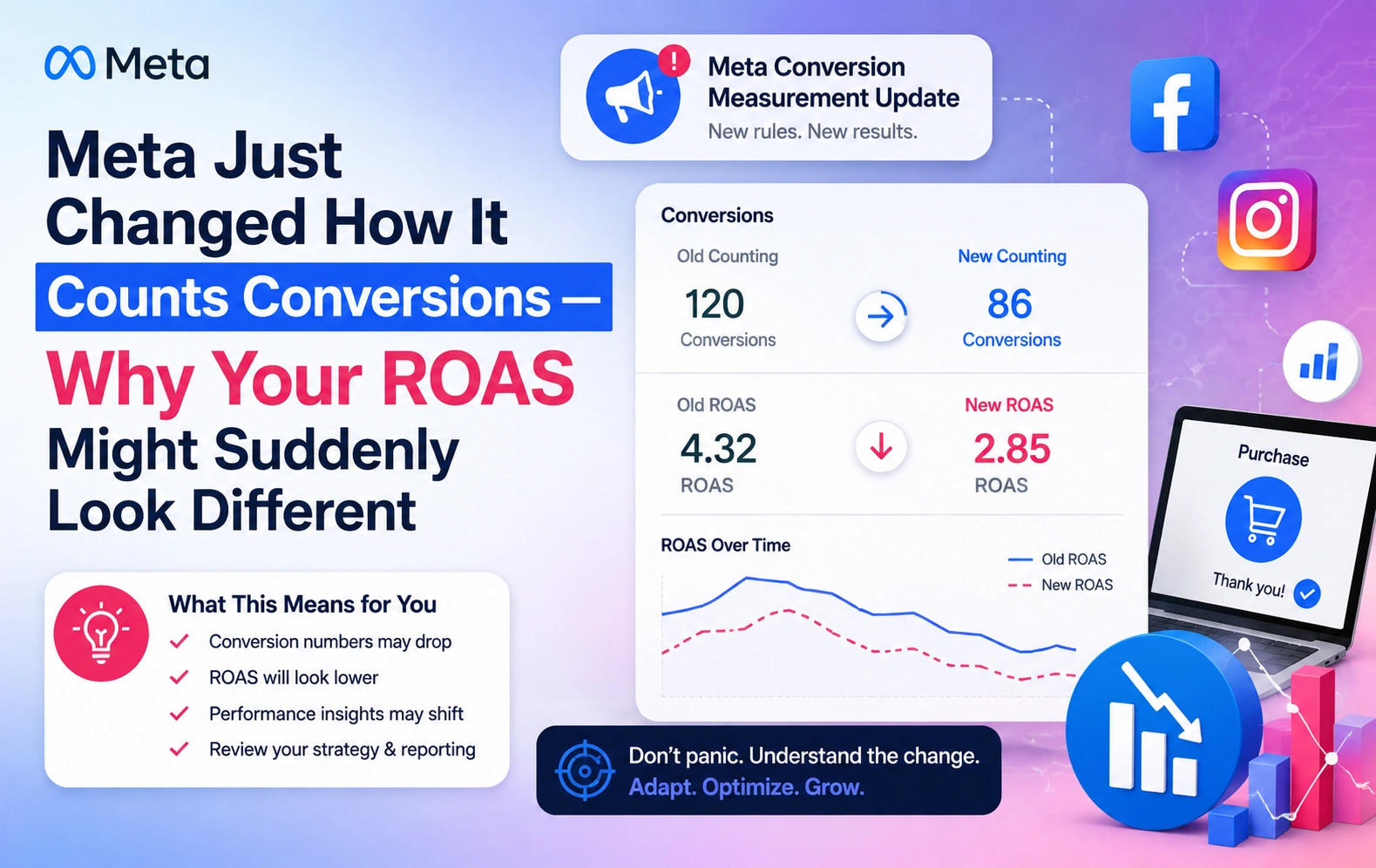
If you've logged into Meta Ads Manager sometime this year and noticed your conversions or ROAS looking lower than usual — without touching your budget, creative, or targeting — you're not imagining it, and your campaigns probably aren't actually underperforming. Meta changed the rules for how it counts a "conversion," and that single change has quietly reshaped reported numbers across a huge number of small business ad accounts.
Here's the part that matters most, right up front: this is a reporting and classification change, not a delivery or billing change. What you're paying and how your ads are actually being served hasn't shifted. What has shifted is how Meta labels and counts what counts as a result. But if you don't know that, it's easy to panic, pause working campaigns, and chase a problem that isn't real.
Let's walk through exactly what changed, why your numbers might look different, and how to read your dashboard correctly going forward.
On March 3, 2026, Meta announced a redefinition of click-through attribution — the model that credits a conversion to your ad because someone clicked it before converting.
Before this change, Meta's definition of a "click" was surprisingly loose. It counted not just link clicks (the kind that actually send someone to your website, app, or lead form), but also likes, shares, saves, comments, profile taps, and image expansions — essentially, any interaction with the ad at all. If someone liked your ad on a Tuesday and bought your product on Friday, Meta counted that as a click-through conversion, even though the "click" was really just a like.
After the change, click-through attribution requires an actual link click — something that genuinely sends the user toward converting. Everything else — likes, shares, saves, comments — has moved into a new, separate bucket called engage-through attribution, which uses a much shorter one-day window instead of the standard seven-day click window.
The practical effect: a chunk of what used to count as click-through conversions either moved into this smaller engage-through category, or in some cases, disappeared from your reporting entirely — specifically, non-link interactions followed by a conversion on day two through seven, which no longer qualify under either window.
This rollout happened progressively across accounts starting in March, which is part of why so many advertisers only started noticing the effect months later, often without connecting it to a specific date. Some reporting on this transition has pointed to reported conversions dropping by as much as 15 to 40% overnight across affected accounts — not because performance actually changed, but because the measurement methodology did.
There's also a second, separate change worth knowing about so you don't conflate the two: back in January 2026, Meta permanently removed the longer 7-day and 28-day view-through attribution windows from its Ads Insights API. That was a different update, affecting a different kind of attribution (view-through, not click-through), and it hit remarketing campaigns particularly hard, since those campaigns often leaned on generous view-window credit.
Put the two together, and you get a real, understandable source of confusion: two separate attribution changes, months apart, both making your Meta reporting look worse than your actual business results.
This is worth repeating clearly, because it's the detail that should stop any panic in its tracks. Meta explicitly confirmed in its March 2026 announcement that there is no change to how advertisers are billed. You are not paying more. You are not being charged differently. What changed is purely how conversions are classified and displayed inside Ads Manager.
If your cost per result and actual delivered sales volume — the number of real orders coming through your store — have stayed steady, but your "conversions" column in Meta Ads Manager dropped, you're very likely looking at this classification change, not an actual decline in how your ads are performing.
This is the practical skill that matters most right now: knowing the difference between "Meta changed how it's counting" and "my campaign actually got worse." Here's how to check.
Pull your actual sales data, not just Meta's dashboard. Compare your Shopify (or store platform) order numbers for the affected weeks against what Meta Ads Manager is showing. If your real sales and revenue are flat, but Meta's reported conversions dropped, that's the attribution change talking, not your campaign.
Look at cost per result and delivered volume separately from the conversions label. If your cost per click, cost per impression, and how widely your ads were shown haven't shifted, but the labeled "conversions" number has, that's a strong signal you're looking at reclassification, not a delivery problem.
Check the date range against known rollout windows. If the dip lines up with March 2026 onward (click-through redefinition) or January 2026 onward (view-window removal), treat that as your first hypothesis before assuming a creative or targeting issue.
Don't compare month-over-month numbers across the rollout window as if they mean the same thing. If your February report and your June report both use a "conversions" column, they are not counting the same underlying event anymore. Any direct comparison across that boundary will make more recent months look artificially weaker.
Engage-through isn't necessarily a downgrade — it's a genuinely useful category once you understand what it represents. It captures real interest signals: people who engaged meaningfully with your ad (through a like, share, save, or comment) and converted shortly after, even without a direct link click.
But it's worth reading with some healthy skepticism, especially for remarketing campaigns. A retargeting audience showing engage-through conversions may simply include people who were already warm and likely to buy anyway, regardless of that specific engagement. Treat engage-through as a supporting signal, not a headline number to report to stakeholders as equivalent to a genuine click-through sale.
It's also worth being clear-eyed about Meta's incentive here: engage-through attribution feeds more signal into Meta's delivery algorithm. The more conversions the system can attribute — even from social interactions rather than link clicks — the more data it has to optimize against. That doesn't make the change dishonest, but it's a reasonable thing to keep in mind when deciding whether to lean on engage-through numbers in your own reporting.
Go into your ad set's Attribution Settings (now found under a dedicated section, moved out of "Delivery & Optimization" in a recent interface update) and check what window you're using. The 2026 standard default is 7-day click, 1-day engage-through, 1-day view-through.
Look for a specific inflection point rather than judging performance by weekly or monthly averages, which can smooth over the exact moment your numbers shifted.
Compare Meta's reported conversions against real order data from Shopify, WooCommerce, or whatever platform runs your store. If real sales are steady, trust that over the Ads Manager conversion count.
Don't collapse both into one "conversions" number when reporting to yourself, a partner, or a client. Report them as distinct categories so nobody mistakes a warm-engagement signal for a confirmed sale.
If you're comparing this quarter's performance to a quarter before March 2026, acknowledge in your own reporting that the underlying metric definition changed — don't present it as an apples-to-apples comparison.
Before killing a campaign or briefing new creative because ROAS "dropped," run the checks above first. A genuine reporting change and a genuine performance problem look identical on the surface but require completely different responses.
With browser-based tracking limitations from iOS and browser privacy changes already reducing signal quality, a solid Conversions API setup gives you a more reliable, less noisy picture of what's actually happening, independent of these attribution reclassifications.
This isn't the first attribution change Meta has made, and it won't be the last. Between iOS tracking restrictions, browser privacy shifts, and now this recount of what qualifies as a "click," the honest reality for 2026 is that Meta Ads reporting has become genuinely more complex to interpret correctly than it was even a couple of years ago. Getting good at reading it — knowing which number means what, and when a dip is real versus a labeling change — has become its own skill.
The businesses that get caught off guard by changes like this are usually the ones treating Meta's dashboard numbers as gospel without a second source of truth. The businesses that come through fine are the ones who kept an independent eye on real sales data all along, and understood that a platform's reporting methodology is not the same thing as their actual business performance.
If you're not sure whether your recent Meta Ads numbers reflect a real problem or just this reporting shift, that's exactly the kind of question worth getting a clear answer to before making any budget or campaign decisions.
At Webbitech, we've been managing performance marketing across Meta and Google for small businesses and e-commerce brands for over 15 years, and we're already helping clients re-baseline their reporting through this exact transition.
Book a free consultation call with Webbitech →
We'll look at your actual account, compare it against your real sales data, and tell you plainly whether your ROAS dip is a reporting artifact or something that genuinely needs fixing.

Have a project in mind? Let’s build something amazing together.
Webbitech — A Leading Web Design & Web Development Company with 15+ Years of SEO & Digital Marketing Expertise, Delivering Countless Success Stories
From idea to execution, we help businesses create high-performing websites and applications.
Start your journey today and take your brand to the next level.